If you are still editing videos manually frame by frame, you are already falling behind. The world of content creation has shifted dramatically, and AI video editing tools are now at the center of that shift. Whether you are a YouTuber in Lahore, a digital marketer in Dubai, or a freelancer in London — learning the best AI video editing software in 2026 is no longer optional. It is a career necessity.
In this guide, you will discover the most powerful AI-powered video editing tools, why they matter especially in Pakistan, how they work, and how you can start learning them today — even if you have zero experience.
What Are AI Video Editing Tools?
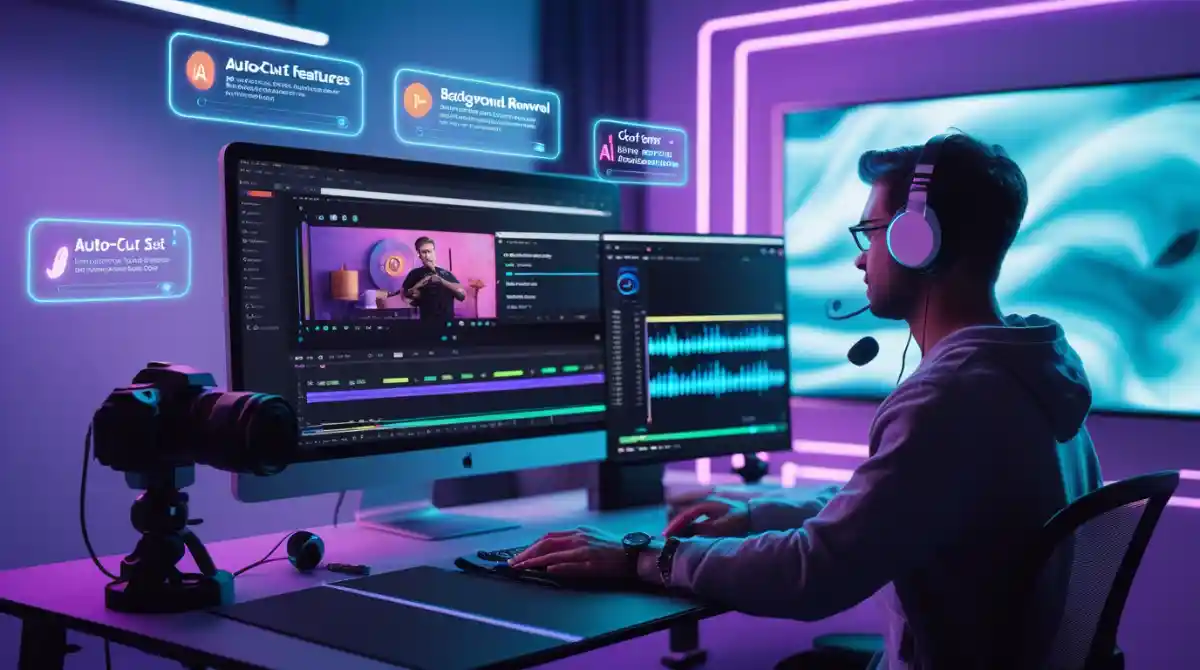
AI video editing tools are software applications that use artificial intelligence and machine learning algorithms to automate, assist, and enhance the video editing process. Instead of spending hours cutting clips, adding captions, or color grading manually, AI handles all of that — in minutes.
These tools use neural network video processing to analyze your footage, detect scenes automatically, generate subtitles, remove backgrounds, enhance video quality, and even create entirely new content from text prompts. Simply put, they make professional-grade video production accessible to everyone — beginners included.
According to Coursera's 2024 Job Skills Report, AI and automation skills are among the top 10 most in-demand competencies globally. Video editing powered by AI sits right at the intersection of creativity and technology — making it one of the most future-proof skills you can learn right now.
Why AI Video Editing Is a Game-Changer in 2026
The numbers speak for themselves. The global AI in media and entertainment market is projected to exceed $99 billion by 2030. Brands, agencies, and solo creators are all racing to produce more video content — faster and cheaper than ever before.
Here is why AI video editing tools are changing the industry:
For content creators in Pakistan specifically, this is a massive opportunity. As platforms like YouTube, TikTok, and Instagram Reels continue to grow rapidly across the country, creators who master AI video editing tools will be miles ahead of the competition.
Top AI Video Editing Tools You Must Learn in 2026
Here is a curated list of the best AI video editing software that professionals, creators, and beginners are using right now. Each tool below covers a different use case — so there is something for everyone.
1. CapCut — Best Free AI Video Editor for Beginners
CapCut is arguably the most popular AI video editing app in Pakistan, India, and across Southeast Asia. It offers AI auto-captions, background removal, smart cut, AI voiceover generator, and one-click video enhancement. It is completely free, mobile-friendly, and beginner-proof.
Best for: TikTok creators, Instagram Reels, short-form content Key AI features: Auto captions AI, AI background removal, AI color grading, AI b-roll generator Free plan: Yes — fully featured
2. Runway ML — Best for Advanced AI Video Generation
Runway ML is the tool Hollywood directors and creative agencies are quietly adopting. It allows you to generate video from text prompts, remove backgrounds with precision, use AI motion tracking, and apply generative AI video effects that would otherwise require an entire VFX team.
Best for: Filmmakers, agencies, advanced creators Key AI features: Text to video AI, AI green screen removal, neural network video processing, AI video upscaling Free plan: Limited free tier available
3. Descript — Best AI Editor for Podcasters and Educators
Descript works like a word processor for video. You edit your video by editing the transcript — delete a word, and the video clip disappears with it. It also includes AI voiceover generator (called Overdub), auto captions AI, and AI filler-word removal.
Best for: Educators, podcasters, course creators, online teachers Key AI features: AI subtitle generator, auto video cut and trim, AI voiceover generator Free plan: Yes
4. Pictory AI — Best for Turning Blog Posts into Videos
Pictory AI is a text to video AI powerhouse. Paste in a blog post URL or a script, and Pictory automatically finds relevant footage, adds captions, and produces a publish-ready video in minutes. It is a top choice for digital marketers and content creators on a budget.
Best for: Bloggers, marketers, social media managers Key AI features: Text to video AI, AI video summarizer, auto highlight reel generator Free plan: Trial available
5. Synthesia — Best AI Video Tool with AI Avatars
Synthesia lets you create professional videos with AI-generated human avatars — no camera, no microphone, no studio needed. Just type your script, select your avatar, and hit generate. It supports 120+ languages, making it a global favourite for training videos and e-learning.
Best for: Corporate training, e-learning, multilingual content Key AI features: AI avatar video, text to video AI, AI voiceover generator Free plan: Limited demo
6. OpusClip — Best AI Tool for Repurposing Long Videos
If you record long YouTube videos, podcasts, or webinars, OpusClip uses AI scene detection and auto highlight reel generator to pull out the most viral moments and turn them into short clips — automatically. It even adds captions and formats them for vertical video.
Best for: YouTubers, podcast hosts, webinar creators Key AI features: AI video summarizer, AI scene detection, auto captions AI Free plan: Yes — limited clips per month
7. Wondershare Filmora AI — Best All-in-One Desktop Editor
Filmora AI is a complete desktop AI video editing software that combines professional editing tools with AI automation. It includes AI color grading, background removal AI video, video noise reduction AI, AI motion tracking, and smart scene detection — all inside a clean, user-friendly interface.
Best for: Semi-professional YouTubers, video marketers, students Key AI features: AI color grading, video noise reduction AI, AI video enhancer, AI green screen removal Free plan: Free version with watermark
8. HeyGen — Best AI Tool for Talking Avatar Videos
HeyGen is rapidly becoming the go-to AI video production tool for brands that want to create spokesperson videos without hiring actors. Similar to Synthesia, HeyGen offers stunning AI avatars, real-time lip-syncing, and multilingual dubbing — making it ideal for creators targeting Arabic, Urdu, or Hindi audiences.
Best for: Marketing agencies, e-commerce brands, multilingual creators Key AI features: AI avatar, AI voiceover generator, multilingual video AI Free plan: Limited credits
9. Veed.io — Best Browser-Based AI Video Editor
Veed.io is entirely browser-based, meaning you do not need to download anything. It offers AI subtitle generator, auto captions AI, background removal, AI video enhancer, and a clean drag-and-drop interface that makes it perfect for beginners and small businesses.
Best for: Small businesses, marketers, beginners in UK and Europe Key AI features: AI subtitle generator, background removal AI video, AI video enhancer Free plan: Yes — with watermark
10. Topaz Video AI — Best for AI Video Upscaling
Topaz Video AI is a specialized desktop tool built for one thing: making old or low-resolution videos look stunning. It uses neural network video processing to upscale footage from 480p to 4K, reduce noise, and recover detail lost in old recordings.
Best for: Filmmakers, archivists, professional editors Key AI features: AI video upscaling, video noise reduction AI, AI video enhancer Free plan: Free trial available
AI Video Editing Tools Comparison Table
Why AI Video Editing Is Critical in Pakistan Right Now
Pakistan has over 88 million internet users and a booming digital creator economy. YouTube monetization, freelancing on Fiverr and Upwork, and social media marketing are now legitimate career paths for millions of young Pakistanis.
However, the competition is fierce. To stand out and earn more, creators and freelancers need skills that clients are willing to pay premium rates for. AI video editing tools are one of the highest-paying skill sets in the digital economy right now.
Freelancers in Pakistan offering AI-powered video editing services are charging between $15 to $75 per hour on international platforms — a significant income in local terms. Agencies in Karachi, Lahore, and Islamabad are also hiring AI-skilled video editors at salaries that rival software developers.
If you are serious about building a digital career in Pakistan, learning AI video editing is one of the smartest moves you can make in 2026.
How AI Video Editing Works — Step by Step
Understanding how artificial intelligence video editing works helps you use these tools more effectively. Here is a simplified breakdown:
Step 1 — Input: You upload your raw video footage or provide a text script to the tool.
Step 2 — AI Analysis: The tool's neural network processes the video, detecting scenes, faces, objects, speech, and emotion.
Step 3 — Automation: The AI automatically cuts, trims, color grades, adds subtitles, removes backgrounds, or generates new footage based on your instructions.
Step 4 — Customization: You review the AI-generated output and make any manual tweaks you need.
Step 5 — Export: You export the final video in your desired format — optimized for YouTube, TikTok, Instagram, or any platform.
The entire process that once required a professional editor and 8–10 hours of work can now be completed by a beginner in under an hour. That is the real power of machine learning video editing.
Job Scope and Career Opportunities in AI Video Editing
The demand for professionals who understand AI video editing tools is exploding globally — and locally in Pakistan.
Here are some career paths that open up when you master these tools:
Salary ranges in Pakistan for AI-skilled video editors currently range from PKR 80,000 to PKR 250,000 per month for in-house roles, with freelancers often earning significantly more in USD.
How to Learn AI Video Editing — Free and Paid Resources
Getting started with AI video editing does not require a degree. Here is how you can learn it step by step:
Free Resources:
Paid / Structured Learning:
The fastest and most effective way to go from zero to job-ready is through a structured training program with expert mentors, real projects, and career support.
Why Choose IDT — Institute of Digital Trainings
If you are in Pakistan and serious about learning AI video editing tools professionally, the Institute of Digital Trainings (IDT) is where you need to be.
IDT is one of Pakistan's most trusted digital education platforms, offering hands-on courses designed specifically for the Pakistani job market and freelancing economy. Here is what makes IDT stand out:
You can explore all digital courses at IDT to find the right program for your goals. Whether you are a complete beginner or an experienced creator looking to level up, IDT has a course for you.
The IDT team is passionate about transforming Pakistan's digital talent landscape — one student at a time.
Real-World Examples of AI Video Editing in Action
To understand the real impact of these tools, consider these practical scenarios:
A fashion brand in Karachi uses HeyGen to create multilingual product videos in Urdu and English — without hiring a spokesperson. They produce 20 videos a month at a fraction of the previous cost.
A freelancer in Rawalpindi uses OpusClip to repurpose client podcast episodes into 15 short viral clips per episode — charging $200 per project and completing it in 2 hours.
A YouTube educator in Islamabad uses Descript to edit 30-minute tutorial videos by simply deleting words from a transcript — cutting editing time from 5 hours to 45 minutes per video.
A digital agency in Lahore uses Pictory AI to convert 50 client blog posts into videos per week — an impossible task without AI that now runs almost automatically.
These are not hypothetical stories. These are the kinds of results creators and businesses are achieving right now with AI video editing tools.
Future of AI Video Editing — What Is Coming Next
The future of artificial intelligence video editing is even more exciting than the present. Here is what experts predict will arrive in the next 2–3 years:
The creators and editors who master today's AI video editing tools will be perfectly positioned to lead tomorrow's industry.
Frequently Asked Questions (FAQs)
What are the best AI video editing tools in 2026? The top AI video editing tools in 2026 include CapCut, Runway ML, Descript, Pictory AI, Synthesia, OpusClip, Wondershare Filmora AI, HeyGen, Veed.io, and Topaz Video AI. Each tool excels in different areas, from beginner-friendly editing to advanced AI video generation.
Can AI edit videos automatically? Yes. Modern AI video editing software can automatically cut and trim footage, add subtitles, remove backgrounds, apply color grading, generate voiceovers, and even create entire videos from text prompts — with minimal human input.
What is the best free AI video editor? CapCut is the best free AI video editor for most beginners and social media creators. It offers a full suite of AI features including auto captions, background removal, and AI effects — completely free with no watermark on most exports.
Can beginners use AI video editing tools? Absolutely. Tools like CapCut, Veed.io, and Descript are specifically designed for beginners with no technical background. You do not need any prior video editing experience to start producing professional-looking content with these tools.
Are AI video editing tools replacing human editors? AI video editing tools are not replacing human editors — they are empowering them. AI handles the repetitive and time-consuming tasks, allowing human editors to focus on creativity, storytelling, and strategy. However, editors who refuse to learn AI tools may find themselves at a competitive disadvantage.
Which AI tool converts text to video? Pictory AI, Synthesia, and Runway ML are the best tools for converting text to video. You can paste a script or blog post and these tools will generate a complete video with relevant footage, captions, and narration automatically.
How to generate subtitles using AI? Tools like Descript, Veed.io, CapCut, and OpusClip all offer automatic AI subtitle generation. Simply upload your video, and the AI transcribes the speech and places accurate, time-synced captions on your video within minutes.
What is the best AI tool to remove background from video? Runway ML and CapCut are the two best AI tools for background removal from video. Both offer precise, real-time background removal without the need for a green screen, using advanced neural network video processing.
Conclusion — Your Next Step Starts Here
The shift to AI-powered video editing is not a future trend. It is happening right now, and the gap between those who adapt and those who do not is widening every single day.
Whether you are a student, a freelancer, a content creator, or a business owner — learning the best AI video editing tools in 2026 will open doors that traditional video editing skills simply cannot. The opportunity is real, the demand is growing, and the tools have never been more accessible.
You also do not have to figure it all out alone.
Book a seat in the Advanced Digital Course offered by IDT — Institute of Digital Trainings — and get hands-on training from Pakistan's top digital mentors. Learn the exact tools, workflows, and strategies that real clients and employers are paying for right now.
👉 Explore Courses at IDT Pakistan 👉 Meet Your Expert Mentors 👉 Contact IDT to Book Your Seat 👉 Learn More About IDT
And while you are building your digital skills, make sure you are using the right tools for every part of your workflow. Check out Toolify Worlds free tool collection — including the AI Image Enhancer and Image Compressor — to optimize all your content assets alongside your video work.
For creators and freelancers in Pakistan managing finances, the Pakistan Income Tax Calculator and Pakistan Business Tax Calculator are also free resources worth bookmarking.
The future belongs to creators who combine human creativity with AI efficiency. Start learning today — and let IDT guide you every step of the way.