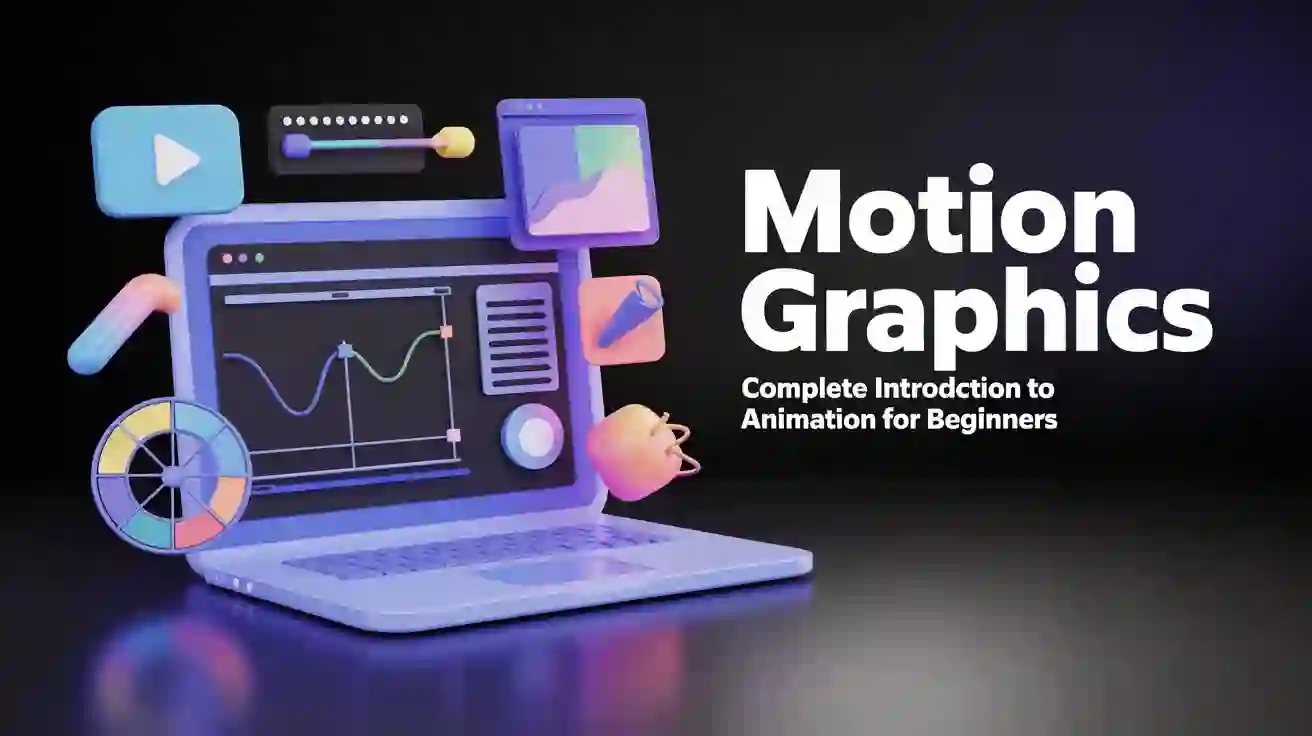
Are you fascinated by those stunning animated logos, engaging explainer videos, and eye-catching social media content? That's the magic of motion graphics! Whether you're a creative professional looking to expand your skillset or a complete beginner wanting to break into the world of digital animation, this comprehensive guide will walk you through everything you need to know about starting your motion graphics journey. Let's dive into the exciting world where design meets movement, and discover how you can transform static visuals into captivating animated experiences.
What is Motion Graphics? Understanding the Basics
Motion graphics is the art of bringing graphic design elements to life through animation. Unlike traditional character animation that tells stories through animated figures, motion graphics focuses on animating text, shapes, logos, and design elements to communicate messages effectively. Think of it as graphic design in motion—where typography dances, logos transform, and data visualizes itself in compelling ways.
The beauty of motion design lies in its versatility. From Netflix's iconic intro animation to the animated infographics you see on news channels, motion graphics are everywhere. They combine animation fundamentals with design principles to create visual content that captures attention and delivers information in digestible, engaging formats.
Motion graphics designers use keyframe animation and easing and timing principles to create smooth, professional movements. These digital animation basics form the foundation of everything from simple logo animations to complex broadcast graphics. The field encompasses 2D animation basics, vector animation, and various animation techniques that bring static designs to life.
Why Motion Graphics Matters in Today's Digital World
In our fast-paced digital landscape, static content simply doesn't cut it anymore. Motion graphics have become essential for several compelling reasons:
Enhanced Communication: Animated content can explain complex concepts in seconds. Studies show that viewers retain 95% of a message when they watch it in a video compared to just 10% when reading text. This makes motion graphics invaluable for explainer videos, product demonstrations, and educational content.
Increased Engagement: Social media posts with motion graphics receive 120% more engagement than static images. Brands leveraging animation see higher click-through rates, longer viewing times, and better conversion rates across all digital platforms.
Career Opportunities in Pakistan: The demand for motion graphics skills in Pakistan has skyrocketed. Companies in Islamabad, Lahore, and Karachi are actively hiring motion designers, with starting salaries ranging from PKR 40,000 to PKR 80,000 monthly. Freelance motion graphics designers can earn even more, with international clients paying premium rates for quality work.
The animation workflow has become streamlined with modern software, making it more accessible than ever for beginners to learn motion graphics and build successful careers. Whether you're interested in working with advertising agencies, production houses, or building a freelance business, motion graphics opens doors to diverse opportunities.
Motion Graphics vs Traditional Animation: Key Differences
Many beginners wonder: what is the difference between motion graphics and animation? While both involve creating moving images, they serve different purposes and require different approaches.
Motion Graphics focuses on animating design elements—text, shapes, logos, and graphical components. It's typically used for commercial purposes like advertisements, branding, explainer videos, and UI animations. The emphasis is on design aesthetics and clear communication rather than storytelling through characters.
Traditional Animation centers on character movement and narrative storytelling. Think Disney movies or anime—these create emotional connections through character personalities, expressions, and story arcs. Traditional animation requires strong drawing skills and deep understanding of character anatomy and movement.
2D animation vs motion graphics is another common comparison. While 2D animation can include both character animation and motion graphics, motion graphics specifically refers to the animation of graphic design elements. A motion designer might create an animated logo, while a 2D animator creates a cartoon character.
The good news for beginners? You don't need to know how to draw for motion graphics. Unlike traditional animation, motion graphics relies more on design sense, timing, and technical software skills than hand-drawing abilities. This makes it an excellent entry point for graphic designers transitioning into animation.
Essential Motion Graphics Software for Beginners
Choosing the right motion graphics software can feel overwhelming, but understanding what each tool offers helps you make informed decisions. Here's a breakdown of the industry-standard options:
Adobe After Effects remains the gold standard for motion graphics. This powerful software offers comprehensive tools for 2D animation, visual effects, and compositing. After Effects for beginners might seem daunting initially, but its extensive tutorials and community support make the learning curve manageable. It's the most requested skill in motion graphics job postings across Pakistan.
Cinema 4D excels at 3D motion graphics, allowing you to create stunning three-dimensional animations. Many motion designers combine Cinema 4D basics with After Effects for hybrid 2D/3D projects. The software's intuitive interface makes it relatively beginner-friendly compared to other 3D packages.
Blender offers a completely free alternative for 3D work. While Blender motion graphics capabilities are impressive, the software has a steeper learning curve. However, its zero cost makes it attractive for beginners on a budget.
Adobe Illustrator for motion graphics serves as the perfect companion tool for creating vector graphics that you'll later animate in After Effects. Vector animation maintains quality at any scale, making it essential for professional motion work.
Premiere Pro animation capabilities, while limited compared to After Effects, are sufficient for simple motion graphics within video editing projects. Understanding the differences between After Effects vs Premiere Pro for motion helps you choose the right tool for each project.
For beginners, starting with Adobe After Effects tutorial resources is recommended. The software's industry dominance means abundant learning materials, plugins, and job opportunities. Most motion graphics courses in Pakistan focus primarily on After Effects, making it the practical choice for career-focused learners.
Step-by-Step Guide to Your First Motion Graphics Project
Ready to create your first motion graphics project? Follow this beginner-friendly workflow to bring your ideas to life:
Step 1: Concept and Planning Start with a clear objective. What message do you want to convey? Sketch simple storyboards showing key moments in your animation. For your first project, keep it simple—animate your name, create a logo reveal, or make a simple text animation.
Step 2: Design Your Assets Create or gather the design elements you'll animate. This might include logos, text, shapes, or illustrations. Remember motion design principles: keep designs clean and animation-friendly. Overly complex designs can be difficult to animate smoothly.
Step 3: Set Up Your Composition In After Effects, create a new composition with appropriate dimensions (1920x1080 for HD video is standard). Set your frame rate basics correctly—24fps for film-like motion, 30fps for standard video, or 60fps for ultra-smooth animation.
Step 4: Animate with Keyframes Place keyframe animation points at the beginning and end of movements. After Effects interpolates the motion between these points. Start with simple position, scale, and rotation animations before tackling more complex techniques.
Step 5: Apply Easing Raw keyframe animation looks robotic. Apply easing and timing principles to create natural, professional movement. Easy Ease makes animations start slowly, speed up, then slow down—mimicking how things move in the real world.
Step 6: Add Polish Refine your animation composition with secondary animations, subtle movements, and finishing touches. Add motion blur for realism, sound effects for impact, and color corrections for visual appeal.
Step 7: Render and Export Export your final animation in appropriate formats. MP4 is standard for web delivery, while MOV with transparency works for overlays and compositing.
This basic animation workflow applies whether you're creating simple text animations or complex commercial projects. Master these fundamentals before advancing to intermediate animation techniques.
Best Motion Graphics Courses in Pakistan (Islamabad, Lahore, Karachi)
Pakistan's growing creative industry has sparked demand for quality motion graphics training. Here's what you need to know about learning options across major cities:
Motion Graphics Course in Islamabad Islamabad offers several reputable institutions for animation training. The Institute of Digital Trainings (IDT) stands out with comprehensive motion graphics certification programs that cover everything from animation basics to advanced commercial projects. Their courses include hands-on practice with industry-standard software and guidance from experienced professionals working in the field.
The best motion graphics training Islamabad provides typically spans 3-6 months, combining theory with practical projects. Students learn Adobe After Effects, Cinema 4D basics, and complete portfolio-ready projects. Many motion design institutes in Islamabad also offer job placement assistance, connecting graduates with local agencies and production houses.
Animation Classes in Lahore Lahore's vibrant creative scene makes it an excellent hub for motion design education. The motion graphics course in Lahore options range from short workshops to comprehensive diploma programs. Leading animation institutes in Lahore emphasize both technical skills and creative development, ensuring graduates can think like designers while executing like technicians.
Best motion graphics classes in Lahore typically include modules on graphic design fundamentals, ensuring students understand design principles before diving into animation. This holistic approach creates well-rounded motion designers ready for professional work.
Motion Graphics Training in Karachi As Pakistan's business capital, Karachi offers robust opportunities for motion designers. Animation classes in Karachi cater to both beginners and experienced designers looking to add animation skills. The best motion graphics course Karachi institutions provide industry connections and client project opportunities, giving students real-world experience during training.
Online Motion Graphics Course Pakistan Can't attend physical classes? Online motion graphics courses offer flexibility for students across Pakistan. Self-paced animation courses let you learn at your convenience while live motion graphics training provides real-time instruction and feedback. Many institutes now offer hybrid models combining online theory with in-person workshops.
Why Choose IDT for Your Motion Graphics Training The Institute of Digital Trainings in Islamabad offers a comprehensive approach to motion graphics education. Their beginner animation course covers motion design fundamentals while building toward advanced techniques. What sets IDT apart:
Whether you're looking for graphic designing and motion graphics bundled training or focused animation certification, IDT's programs are designed to transform beginners into job-ready motion designers.
Career Opportunities in Motion Graphics Design
The motion graphics career path offers diverse opportunities for creative professionals. Understanding the landscape helps you make informed decisions about your future:
Job Roles and Opportunities Motion graphics job opportunities span multiple industries. You might work as a motion designer at advertising agencies, become a visual effects artist for film and television, or join tech companies creating UI animations. Animation career prospects in Pakistan continue expanding as businesses recognize video content's marketing power.
A typical motion designer job description includes creating animated content for digital platforms, collaborating with creative teams, storyboarding concepts, and staying current with design trends. The role blends creativity with technical skills, requiring both artistic vision and software proficiency.
Salary Expectations Motion graphics salary expectations in Pakistan vary by experience and location. Entry-level motion designers in major cities earn PKR 40,000-60,000 monthly. With 2-3 years experience, salaries jump to PKR 80,000-150,000. Senior motion designers and creative directors command PKR 200,000+ monthly.
Freelance motion graphics designers often earn more, especially when serving international clients. A single 30-second animated logo reveal might fetch $200-500 from overseas clients, while local businesses typically pay PKR 15,000-50,000 for similar work.
Motion Graphics vs Graphic Design Career Wondering about motion graphics vs graphic design career prospects? Motion designers generally earn 30-50% more than static graphic designers due to the specialized skills required. The field also offers more diverse opportunities—from broadcast design to app animations to augmented reality experiences.
That said, strong graphic design skills form the foundation for motion graphics success. Many professionals start as graphic designers and transition into motion graphics, leveraging their design knowledge while adding animation capabilities.
Remote Work Possibilities Motion graphics remote work has exploded globally. The pandemic proved that motion designers can effectively work from anywhere, leading companies worldwide to hire talent regardless of location. Pakistani motion designers increasingly work with international clients, earning in dollars while living in rupees—a significant financial advantage.
Building Your Portfolio Success requires a strong motion graphics portfolio showcasing your best work. Start with personal projects demonstrating various animation skills. Include different styles—logo animations, explainer videos, kinetic typography, and any unique techniques you've mastered. Motion graphics portfolio tips from industry professionals emphasize quality over quantity: five excellent pieces beat twenty mediocre ones.
Motion Graphics Tools and Equipment You'll Need
Wondering about motion graphics equipment needed for beginners? Good news—you don't need a professional studio to start. Here's a realistic breakdown:
Computer Requirements Your computer is your most important tool. Minimum specifications for running motion graphics software include:
These what computer specs for motion graphics apply whether you're using After Effects, Cinema 4D, or Blender. While you can start with less powerful hardware, upgrade priorities should focus on RAM first, then GPU, then processor.
Software Investment Adobe Creative Cloud subscription costs approximately $55/month, giving you access to After Effects, Premiere Pro, Illustrator, Photoshop, and other essential tools. Student discounts reduce costs significantly. For budget-conscious beginners, free alternatives like Blender and DaVinci Resolve animation capabilities provide starting points before investing in paid software.
Additional Tools
Free Resources to Get Started You don't need expensive courses immediately. Free motion graphics tutorials for complete beginners are abundant on YouTube, with channels like Motion Design School, School of Motion, and Ben Marriott offering excellent content. Practice with these resources before committing to paid training.
How to Learn Motion Graphics: Your Learning Path
How to become a motion graphics designer involves following a structured motion graphics learning path. Here's a proven roadmap:
Phase 1: Foundation (Weeks 1-4) Start with animation principles—the 12 principles established by Disney animators apply to motion graphics too. Learn basic animation principles like timing, spacing, and anticipation. Simultaneously, strengthen your graphic design skills if needed, as motion graphics for graphic designers builds on solid design fundamentals.
Phase 2: Software Basics (Weeks 5-8) Dive into your chosen software with structured tutorials. For After Effects, master the interface, understand layers and compositions, learn keyframe animation, and practice with simple projects. Don't try learning everything at once—focus on one concept until comfortable before moving forward.
Phase 3: Practical Projects (Weeks 9-16) Apply your knowledge through increasingly complex projects. Start with text animations, progress to logo reveals, then tackle explainer videos. Each project teaches new techniques while reinforcing fundamentals. Motion graphics project ideas for beginners include:
Phase 4: Specialization and Portfolio (Weeks 17-24) Develop your unique style while building a professional portfolio. Study motion graphics inspiration from industry leaders, analyze what makes great motion design work, and incorporate best practices for beginner motion designers into your projects. Create portfolio pieces targeting your desired job roles.
How Long Does It Take to Learn Motion Graphics? How long to become a motion graphics designer depends on dedication and prior experience. With consistent daily practice, expect 3-6 months to reach job-ready proficiency in fundamental skills. Becoming an advanced motion designer takes 1-2 years of continuous learning and project work.
Can I learn motion graphics online? Absolutely! Many successful motion designers are self-taught through online resources. The key is structured learning, consistent practice, and seeking feedback on your work.
Motion Graphics Freelancing for Beginners
Motion graphics freelancing for beginners offers an attractive alternative to traditional employment. The global marketplace enables Pakistani designers to compete internationally while working from home.
Getting Started Build your portfolio first—clients need to see your capabilities. Start with personal projects if you lack client work. Platforms like Fiverr, Upwork, and Freelancer connect you with clients worldwide. Initially, you might need to underprice services to build reviews and reputation, but rates should increase as your portfolio grows.
Pricing Your Services Research motion graphics pricing guide standards for both local and international markets. A simple 15-second logo animation might range from PKR 10,000 locally to $150-300 internationally. Explainer videos (60-90 seconds) typically cost PKR 50,000-150,000 domestically or $500-2000 from foreign clients.
Managing Client Relationships Clear communication prevents problems. Always get project briefs in writing, specify revision limits, require partial payment upfront, and deliver on promised timelines. Motion design workflow efficiency directly impacts your earning potential—faster turnaround means more projects and higher income.
Future Trends in Motion Graphics
Staying current with motion graphics trends 2024 keeps you competitive. Emerging technologies and changing aesthetics shape the field's future:
AI Integration: Artificial intelligence tools are augmenting motion designers' capabilities, automating repetitive tasks while enhancing creative possibilities. Learning to leverage AI tools will separate leading designers from those left behind.
3D Motion Graphics: Three-dimensional elements are increasingly common even in primarily 2D projects. Basic Cinema 4D or Blender skills make you more marketable.
Interactive Motion: Websites and apps demand interactive motion graphics that respond to user actions. Learning tools like Lottie for web animation expands opportunities.
Vertical Video: TikTok, Instagram Reels, and YouTube Shorts require vertical format expertise. Motion designers adapting content for mobile-first platforms stay in demand.
Sustainable Animation: Brands increasingly care about file sizes and environmental impact. Efficient animation techniques that minimize rendering time and file size are valued.
Frequently Asked Questions About Learning Motion Graphics
What is motion graphics used for? Motion graphics are used across numerous applications including advertising, explainer videos, social media content, broadcast television graphics, website animations, mobile app interfaces, corporate presentations, educational videos, and film title sequences. Essentially, any context requiring animated graphic design elements benefits from motion graphics.
Is motion graphics hard to learn? Motion graphics has a moderate learning curve. The technical aspects—learning software like After Effects—require dedicated practice over several months. However, you don't need advanced math or drawing skills. If you understand basic graphic design and can think spatially, you can learn motion graphics. Difficulty varies by individual, but most committed learners achieve basic proficiency within 3-6 months.
What software do motion graphics designers use? Professional motion graphics designers primarily use Adobe After Effects as their main tool, often combined with Adobe Illustrator and Photoshop for asset creation. Cinema 4D handles 3D elements, while Premiere Pro manages final video editing. Many designers also use plugins like Element 3D, Trapcode Suite, and Red Giant tools to enhance capabilities. Free alternatives include Blender for 3D work and DaVinci Resolve for basic motion graphics.
Do you need to know how to draw for motion graphics? No, drawing skills aren't required for motion graphics. Unlike character animation, motion graphics focuses on animating existing design elements—typography, shapes, logos, and graphics. You need design sense and spatial awareness, but hand-drawing ability isn't necessary. Many successful motion designers cannot draw characters but excel at animating graphic elements. However, basic sketching for storyboarding ideas is helpful.
How much do motion graphics designers earn in Pakistan? Entry-level motion graphics designers in Pakistan earn PKR 40,000-60,000 monthly in major cities. With 2-3 years of experience, salaries increase to PKR 80,000-150,000. Senior designers and creative directors earn PKR 200,000+ monthly. Freelance income varies widely—part-time freelancers might earn PKR 30,000-50,000 monthly, while full-time professionals serving international clients can earn PKR 200,000-500,000+ monthly depending on client base and project complexity.
Is After Effects necessary for motion graphics? While not absolutely necessary, Adobe After Effects is the industry standard, appearing in 80%+ of motion graphics job postings. Alternative tools exist—Blender, DaVinci Resolve, Apple Motion—but After Effects dominates professional workflows. Learning After Effects significantly improves job prospects and client opportunities. Most motion graphics courses worldwide focus primarily on After Effects for this reason.
Take Your First Step Into Motion Graphics Today
Motion graphics offers an exciting, creative, and financially rewarding career path for those willing to invest time in learning. Whether you're a graphic designer wanting to add animation skills, a student exploring creative careers, or a professional seeking a career change, motion graphics provides opportunities limited only by your creativity and dedication.
The journey from complete beginner to professional motion designer is challenging but entirely achievable. With modern learning resources, affordable software options, and growing demand across Pakistan and globally, there's never been a better time to start your motion graphics education.
Remember: every expert motion designer was once a beginner staring at a blank After Effects composition, unsure where to start. The difference between those who succeed and those who don't isn't talent—it's persistence, practice, and willingness to learn from mistakes.
Ready to transform your creative career? The Institute of Digital Trainings in Islamabad offers comprehensive motion graphics training designed to take you from absolute beginner to job-ready professional. With experienced instructors, hands-on projects, and career support, IDT provides the structured learning environment that accelerates your progress.
Don't let another month pass wishing you had started. Book your seat in IDT's Advanced Graphic Designing Course with Motion Graphics specialization today and take the first step toward an exciting creative future. Visit our campus in Islamabad or explore our online learning options—your motion graphics journey begins now.
The world needs more skilled motion designers. Will you be one of them?
Transform static designs into dynamic visual stories. Enroll in motion graphics training at the Institute of Digital Trainings and master the skills that power today's digital content. Contact us today for course details, schedules, and enrollment information.